
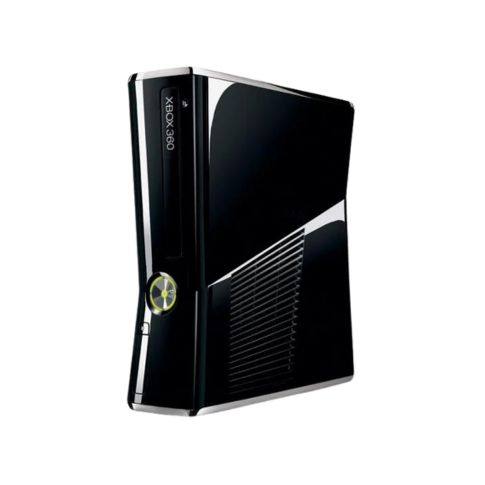
Xbox 360 S Repair Repair
Xbox 360 S Repair. Are you facing a specific issue with your Xbox 360 S, or do you need general repair guidance? Here are common problems and their fixes:
- Free diagnostic
- Fixed written quote
- 180-day warranty
Repair Details
Xbox 360 S Repair — what's covered
Xbox 360 S Repair
Are you facing a specific issue with your Xbox 360 S, or do you need general repair guidance? Here are common problems and their fixes:
1. Xbox 360 S Won’t Turn On
✅ Troubleshooting Steps:
- Check Power Supply: The power brick light should be green (normal) or orange (standby). If it’s red or off, try a different power brick.
- Power Reset: Unplug the power supply for 10 minutes, then reconnect.
- Check the Power Button: If it doesn’t respond, the power board or motherboard may need repair.
2. Red Dot of Death (RDoD) / Overheating Issues
✅ Fixes:
- Clean the vents & fan using compressed air.
- Replace the thermal paste if overheating persists.
- Keep the console in a well-ventilated area to avoid heat buildup.
3. No Display / HDMI Issues
✅ Possible Fixes:
- Try a different HDMI cable and another TV input.
- If using AV cables, ensure they are properly connected.
- If the HDMI port is physically damaged, it may need an HDMI port replacement.
4. Disc Drive Not Reading Discs / Not Ejecting
✅ Fixes:
- Clean the disc with a microfiber cloth.
- Manually eject the disc using a paperclip in the small hole under the disc drive.
- Clean the laser lens with isopropyl alcohol and a cotton swab.
- If the drive still doesn’t work, the laser module or disc drive may need replacement.
5. Console Freezes or Crashes Frequently
✅ Troubleshooting Steps:
- Clear system cache:
- Go to Settings > System > Storage
- Select your hard drive and choose Clear System Cache
- Check for overheating (ensure proper ventilation).
- If the hard drive is corrupted, try removing it and booting without it.
6. Wireless Controller Won’t Connect
✅ Fixes:
- Resync the controller: Press the sync button on the console and controller.
- Check for interference from other wireless devices.
- Use a wired connection to test if the controller works.
- Free diagnostic & fixed written quote
- Genuine-spec parts with warranty
- Same-day options on common faults
- Data stays on your device — we never wipe storage
Common problems we fix
Sound familiar?
- No power, no lights, or shuts off randomly
- No video output or a bent/damaged HDMI port
- Loud fan, overheating warnings or shutdowns
- Disc read errors, eject issues or drive noise
- Stick drift, dead buttons or charging problems
- Liquid damage, drop damage or "it just died"
Not listed? Describe it below — diagnostics are free.
How your repair runs
-
1
Book or walk in
Drop the device at a branch or request a mail-in label.
-
2
Free diagnostic
We bench-test the device and identify the actual fault.
-
3
Fixed quote
You approve a written, fixed price — or collect free of charge.
-
4
Repair & test
Component-level repair, then full function stress-testing.
-
5
Collect with warranty
Walk out with a written warranty on parts and labour.
Free
Diagnostics, always
Fixed quote
Approved before work starts
Written
Warranty on every job
What customers say
"Excellent and reasonably priced service. They responded within minutes, gave me a rough estimate, arranged pickup, kept me updated, and finished the work in about three hours. Highly recommend for anyone looking to get consoles fixed or serviced."
"Had come to get my PS4 repaired. They did a very good job — repairs for all gaming consoles including Nintendo Switch, PlayStation and Xbox. Friendly staff, and pickup/delivery service available. The best place to get a gaming console repaired."
"My PS4 optical drive was not reading discs. The technician worked on the issue and fixed it within 20 minutes. Works perfectly now — thank you for the service!"
Available at these locations
Get your Xbox 360 S Repair assessed
Send the symptoms and a technician replies with an estimated cost and turnaround.
- Free diagnostic on arrival
- Fixed written quote before any work
- Walk-in, pickup or mail-in
Xbox 360 S Repair repair questions
Most common repairs ? HDMI ports, fans, thermal service, joystick drift ? are completed within 24?48 hours once parts are confirmed. Board-level faults can take longer; we always confirm the timeline in your written quote.
Yes. Every completed repair includes a written warranty covering the parts we replaced and our workmanship. The exact term is printed on your job card.
A full bench inspection: power rails, video output, thermal behaviour, drive function and controller pairing. You receive a fixed written quote before any work begins ? approve it or collect the device free of charge.
Yes — Meta Quest, PSVR2 and HTC Vive are all covered.
Yes — mail-in is accepted nationwide.
All repairs carry the same 180-day written warranty.
Get your Xbox 360 S Repair back in the game
Free diagnostics, fixed pricing, written warranty.